

Unlocking More Speed on the Yozma IN 10: My Real-World Tune, Ride Feel, and Top-Speed Testing
September 21, 2025
Some links in this article may be affiliate links. If you buy through them, we may earn a small commission at no extra cost to you.
The Yozma IN 10 is one of those mini electric dirt bikes that feels like it’s hiding extra performance in the controller. Stock, it’s already fun and surprisingly capable for its size—but the internet speed debate around this bike is real.

I wanted to settle it in the most practical way I can: I connected to the FarDriver controller, opened up the tune, then went straight into real riding and top-speed testing.
Clearing up the “top speed” confusion
Before I even changed anything, I did a quick sanity check that explains why people argue about how fast the IN 10 is.
With the wheel off the ground, the speed readout can climb higher (I could get the display to show right around 40). But on the road, under load, the real-world number is lower.
That’s the key distinction: no-load speed on a stand isn’t the same as speed with a rider, on pavement, fighting wind, tire load, and voltage sag.
What I used to tune it (and what you need first)
To tune the IN 10, you need a Bluetooth module that plugs into the FarDriver controller. Without it, you’re basically stuck with whatever the factory shipped.
The module install is simple, and the bike is actually designed in a way that makes access pretty painless.
Install: getting to the controller and plugging in the BT module
The best part: I didn’t need to pull the controller out of the bike.
I removed the plastic controller cover (four bolts) and that immediately gave me access to the wiring.
Inside, there’s a 4-pin connector (four wires) dedicated for the Bluetooth module. It’s truly plug-and-play:
Locate the 4-pin connector
Plug the Bluetooth module in
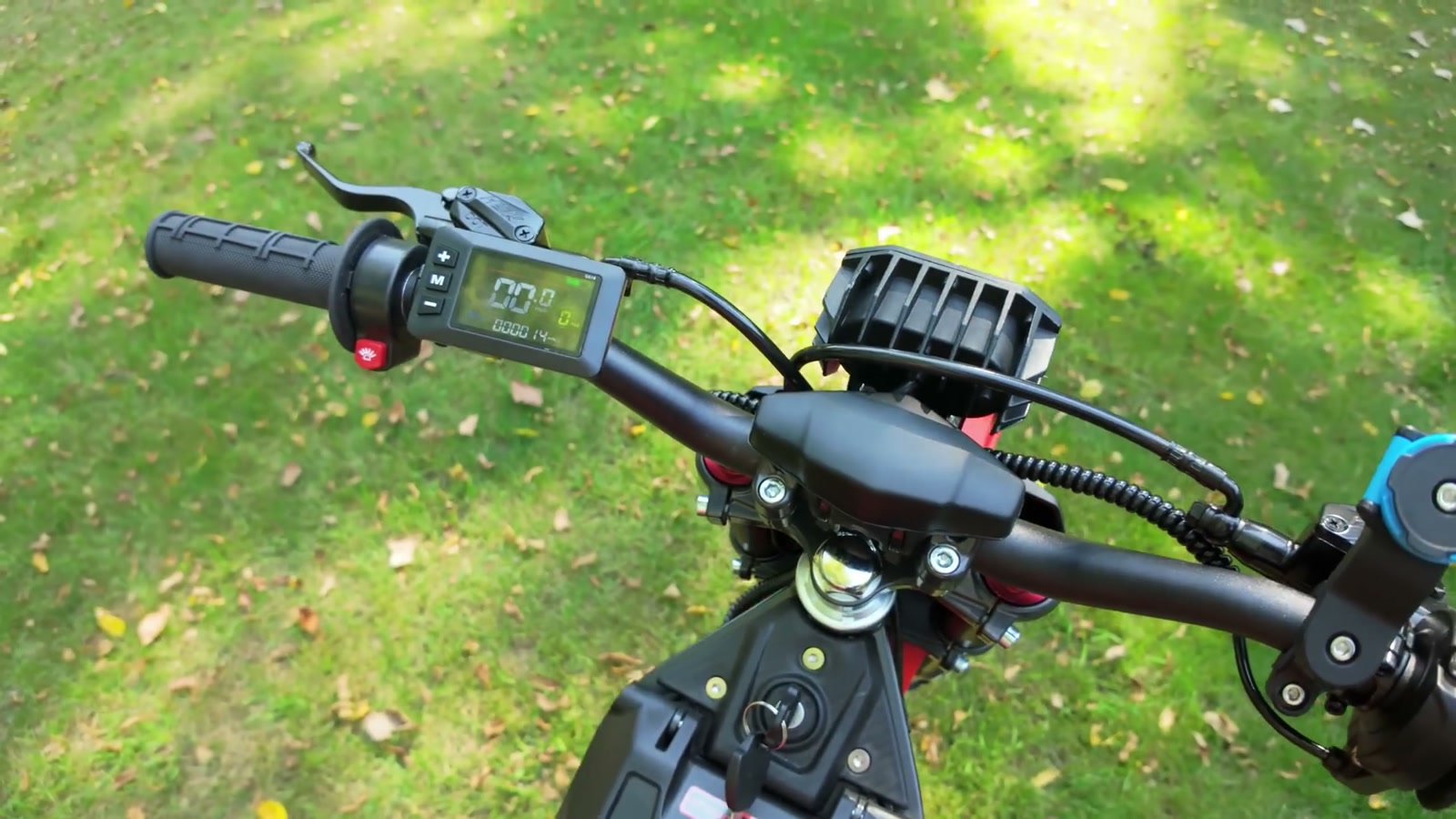
Turn the ignition on
Confirm the module is active (I watched for the indicator light behavior and then verified connection in the app)
From there, it’s all app work.
Connecting in the FarDriver app
Once the ignition was on, I connected to the FarDriver controller in the app and opened the Pro settings.
A quick note on the stock tune: I actually like it. The bike feels good out of the box. The point of tuning here wasn’t “fixing” it—it was answering the question everyone had: can I get more speed and punch out of it?
The tune: baseline changes I ran
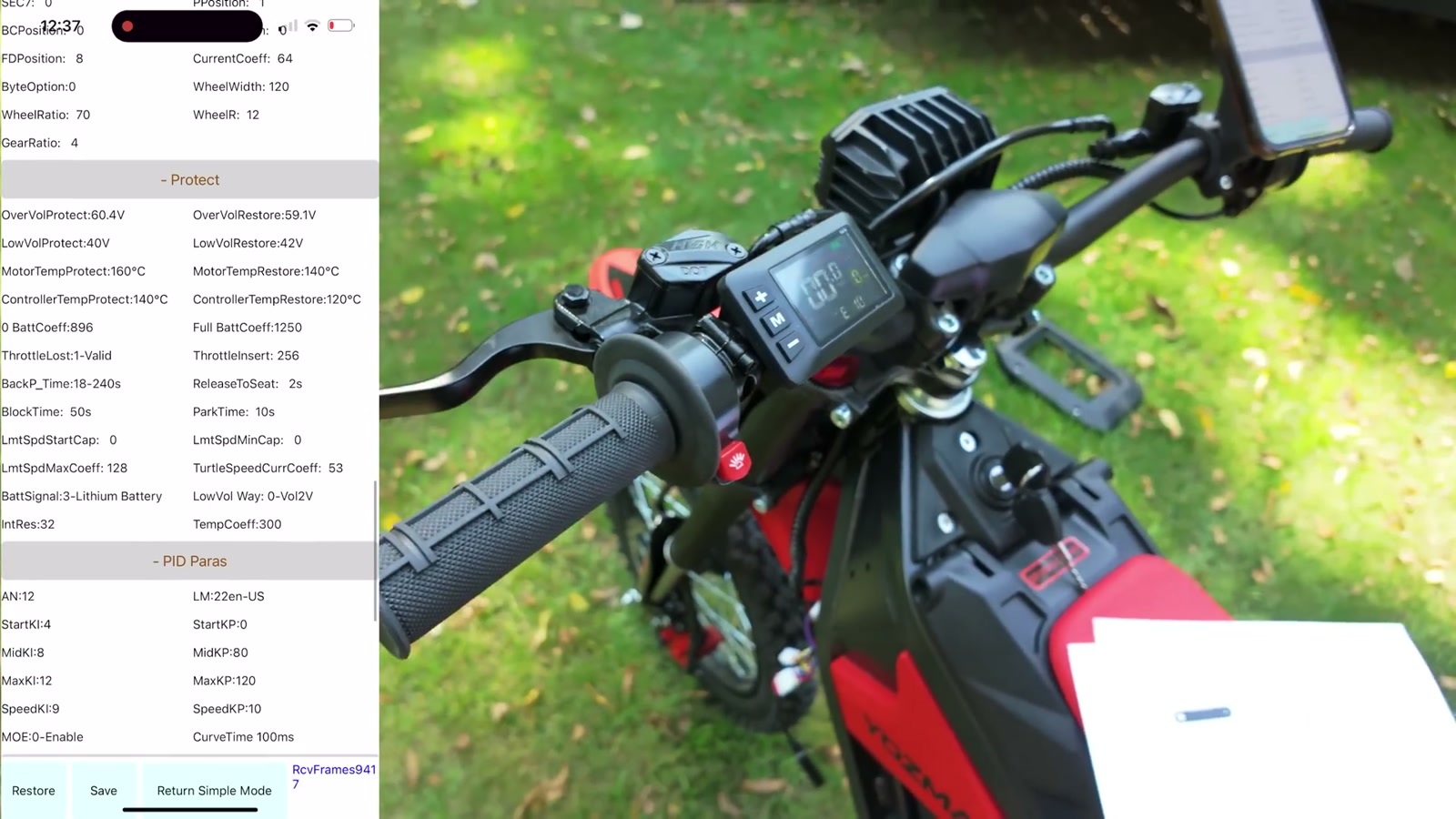
I applied a baseline set of tuning changes aimed at opening the bike up.
Important: I’m not going to pretend a tune is risk-free or that every IN 10 variant is identical. Even among similar-looking bikes across different sellers, settings and results can vary.
Also, if you want a more customized tune path, I’d strongly recommend leaning on an experienced FarDriver tuner/community rather than randomly guessing.
After saving my settings, I unplugged the Bluetooth module before riding.
Heads-up: you can’t ride with the BT module connected
This surprised a lot of people, but it’s simple: once I saved everything, I removed the Bluetooth module because the bike throws an error if you try to operate it with the module still plugged in.
So for me, the workflow was:
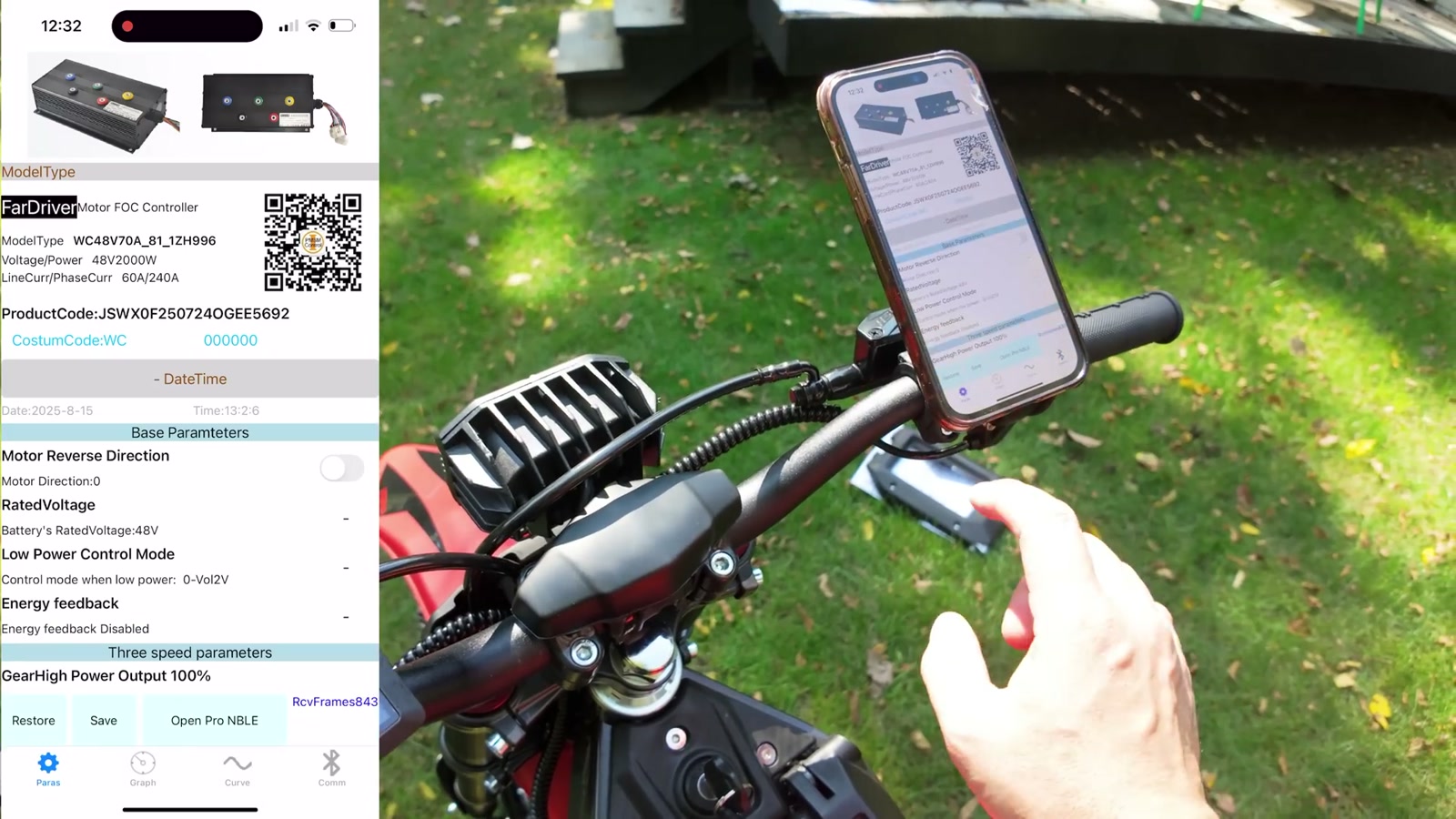
1) Plug in module
2) Connect with app
3) Change settings + save
4) Unplug module
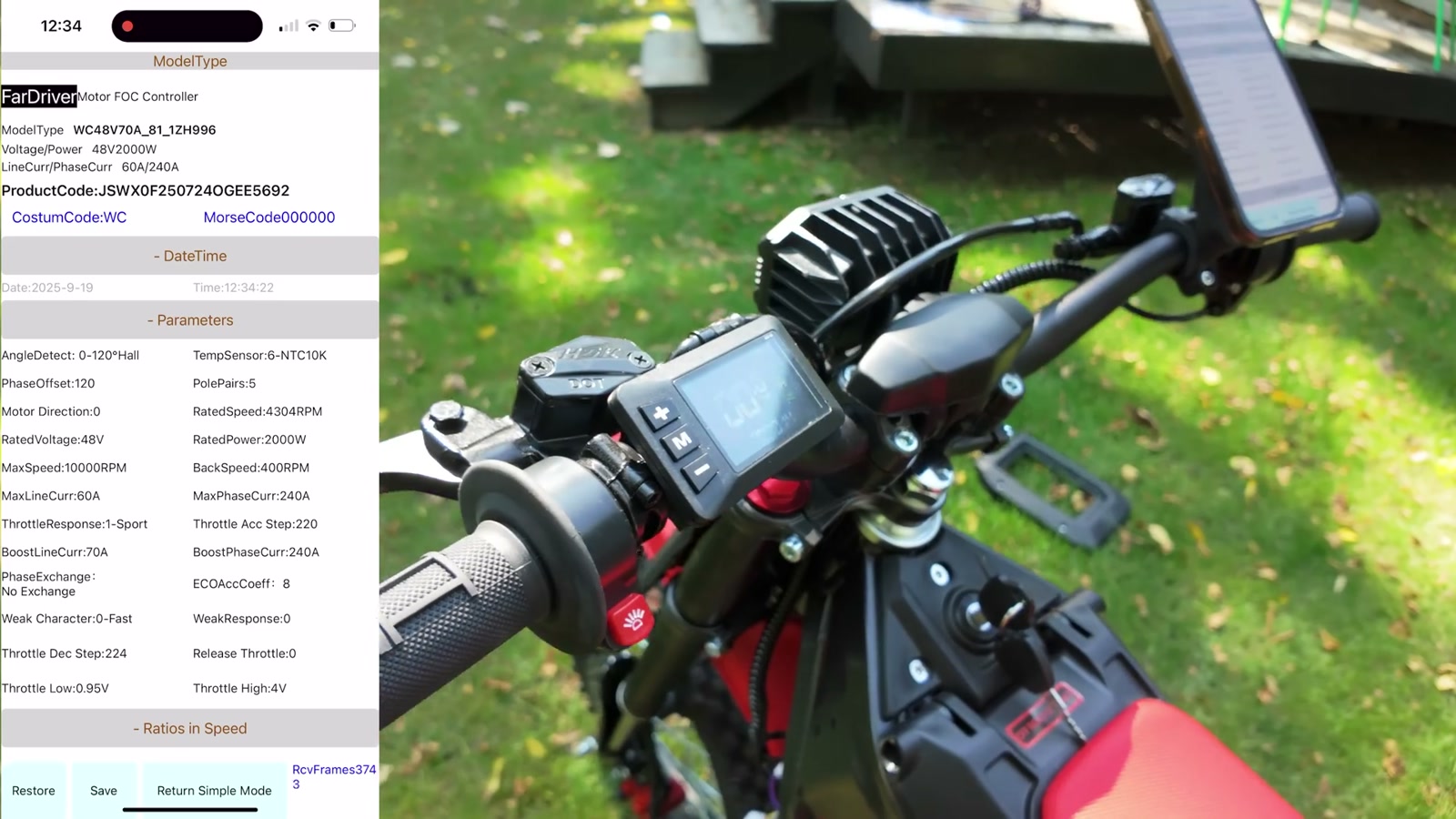
5) Ride/test
First impression after the tune: it woke up
I started riding in a lower power level just to feel the difference without immediately getting launched.
The immediate change I noticed was throttle response. The bike felt more alert and more eager to build speed. When I bumped up to the higher power level, that “wake up” effect was even more obvious.
It wasn’t subtle. The tune made the IN 10 feel less restricted.
Display speed vs real speed: what changed
After tuning, the display indicated a much higher no-load top end than before (I saw the number climb well beyond what it showed stock).
But the only number that matters for the speed debate is what it does on the road.
Real-world top-speed testing (Dragy)
For real-world validation, I used a Dragy GPS-based test.
Results depended on conditions:
On a downhill run, I saw it climb into the low 40s mph (hovering around 42–43 mph)
On a run that was uphill/less favorable, it held more in the mid-30s mph range and climbed more slowly
So yes: I picked up speed with the tune.
The biggest practical takeaway is that the tune helped the bike push closer to that “around 40 mph” real-world zone in favorable conditions, rather than living in the mid-30s.
What We Like
Noticeably improved throttle response after tuning
More real-world top speed potential (especially in favorable conditions)
Easy access to the controller by removing a simple plastic cover (no controller removal required)
Plug-and-play Bluetooth module connection for app-based tuning
Things To Consider
Display speed and real-world speed are not the same thing; always validate with GPS-based testing
You can’t ride the bike with the Bluetooth module connected (it can trigger an error)
Tuning isn’t universal—different versions/variants of similar bikes may behave differently
Controller tuning can affect ride behavior significantly; if you’re not confident, get help from an experienced FarDriver tuner/community
Final Thoughts
Stock, the Yozma IN 10 is already a good time. After tuning, it felt like the bike finally stopped holding back.
For everyday riding, the biggest improvement wasn’t just the number at the top—it was the way the bike responded getting there. The throttle felt sharper, the bike felt more alive, and it had more in reserve when I asked for it.
If you’re the type of rider who’s already comfortable on the IN 10 and you want to unlock more of what the FarDriver controller can offer, the Bluetooth module plus a sensible tune is the move.