

GLE Dashboard App Review: Tuning My BAC4000 72v Sur-Ron X the Way It Should’ve Been
February 11, 2022
Some links in this article may be affiliate links. If you buy through them, we may earn a small commission at no extra cost to you.
If you’ve ever tuned a Sur-Ron with an aftermarket controller, you already know the hard part isn’t getting more power—it’s getting the bike to feel right.
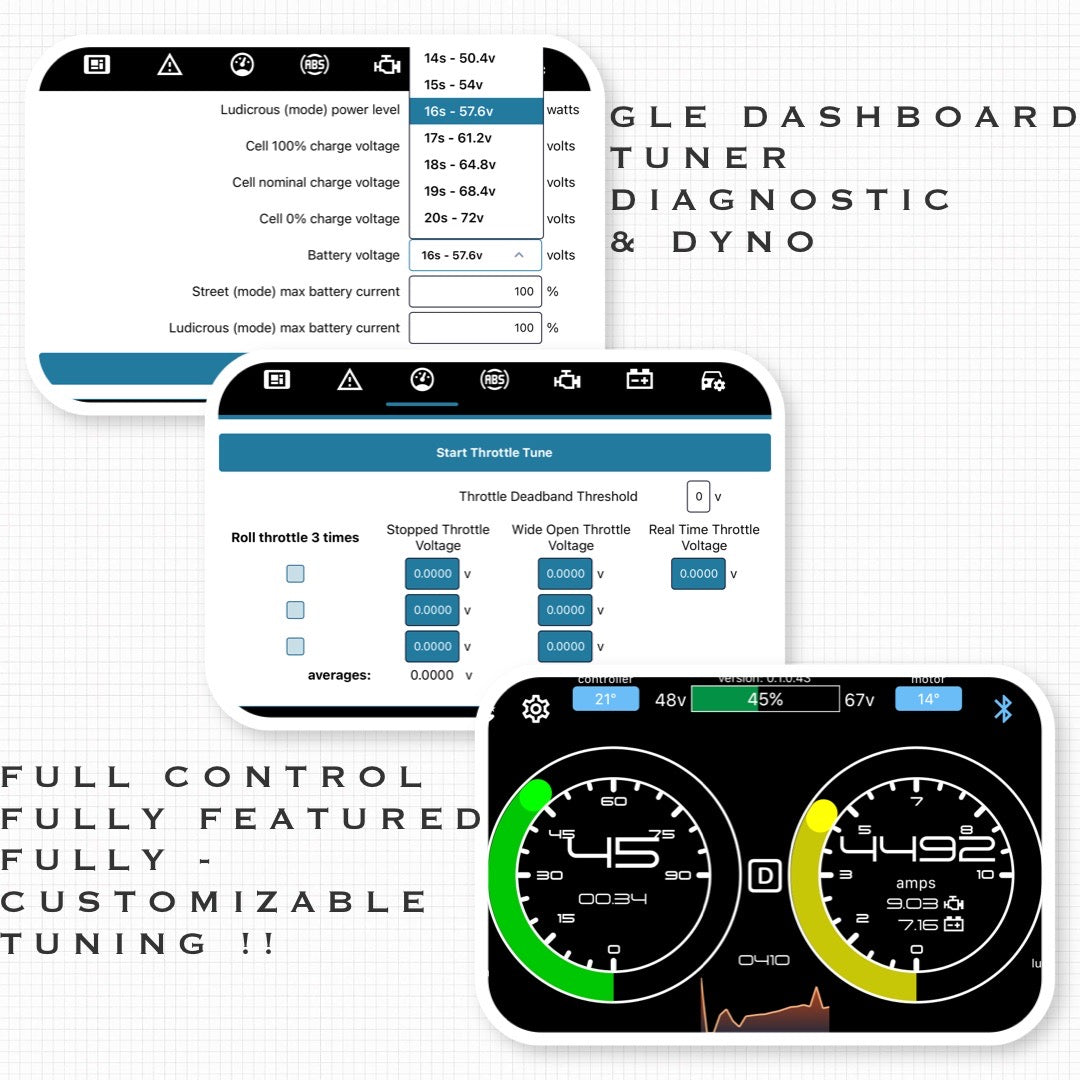
After spending time living with more “bare minimum” tuning workflows, I switched over to the GLE Dashboard app from Green Line Engineering for the ASI BAC platform and paired it with my 72v Sur-Ron X running a BAC4000. The difference wasn’t just in features. The bike genuinely felt more dialed, more predictable, and easier to set up the way I actually ride.
Below is how it went in real use: install readiness, daily usability, and what changed on the street once everything was configured.
Why I Wanted GLE Dashboard in the First Place
I like tuning. I also like not having to re-learn how to save settings every time I open an app.
My biggest frustration with the typical “small display + companion app” approach is that it can feel broad and unintuitive. I’d tweak something once, get it mostly acceptable, and then avoid touching it again unless I needed a quick power adjustment.
With GLE Dashboard, the whole experience feels like it was designed by people who care about UX as much as they care about controller performance.
One quick note before you get too excited: depending on your setup, you may need a harness upgrade and/or a firmware update to get full compatibility. That’s not a knock—just reality with controller ecosystems.
First-Time Setup and Home Screen: Finally, a Display I Want to Keep Open
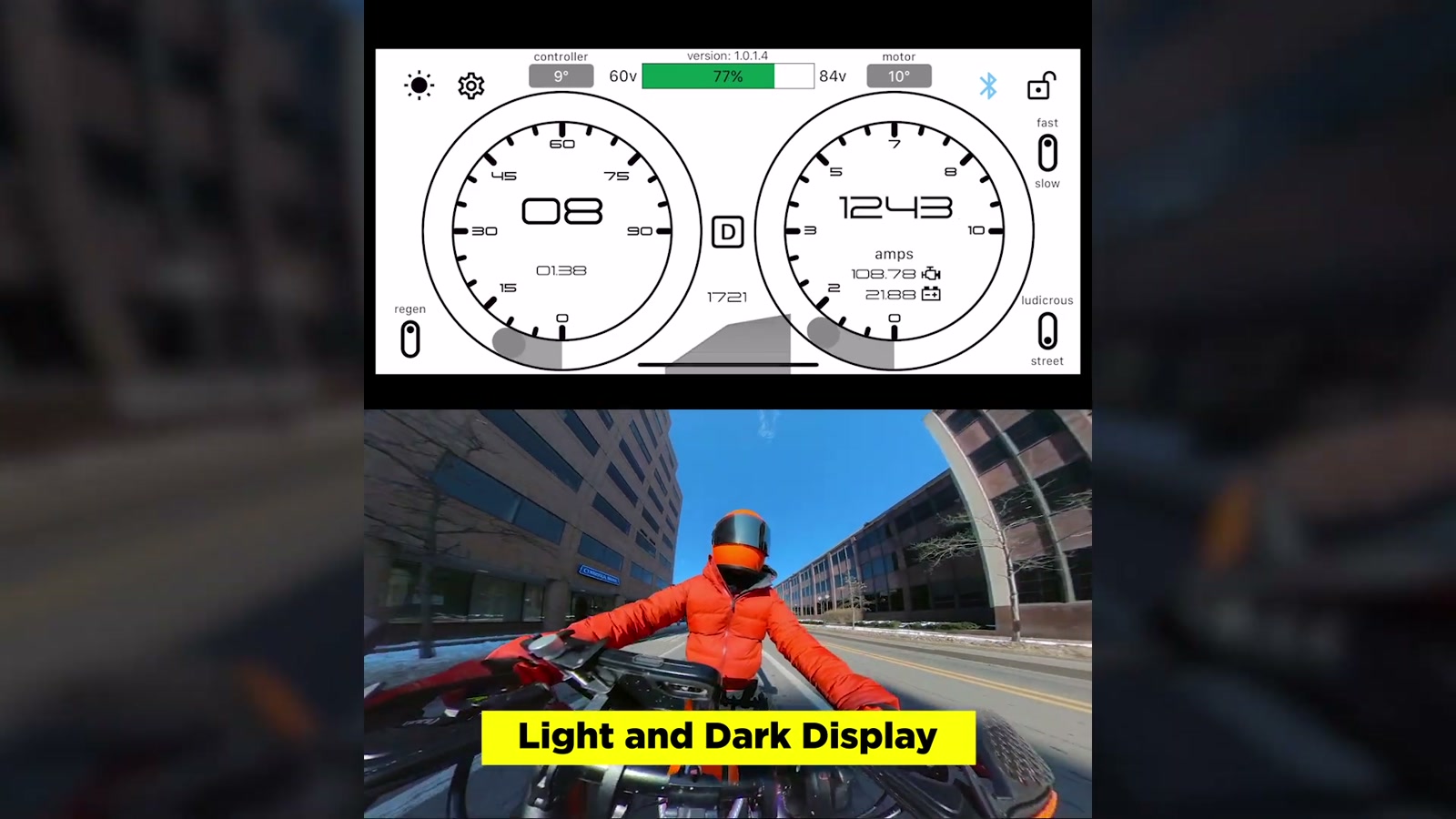
Once connected over Bluetooth, the home screen becomes the control center. It’s clean and “glanceable” while still giving me the stuff I care about:
Speed readout
Battery level
Motor temp and controller temp
Bluetooth status
Current/amp gauge
Drive state and mode selection
I run night mode most of the time, but I appreciated that switching to a bright daytime view actually helped readability with a tinted visor.
A small thing that ended up being a big thing: long-press shortcuts. If I want to jump straight into regen settings from the home screen, I just press-and-hold the regen icon and I’m there.
Drive States: Park, Neutral, Reverse (and Why Reverse Is Actually Useful)
GLE Dashboard gives me clear control over:
Drive: normal operation
Park: throttle disabled and the wheel is locked
Neutral: throttle disabled but the bike can roll freely
Reverse: speed-limited reverse
Reverse is the sleeper feature here. It’s intentionally slow, and that’s exactly why I trust it. On trails or in awkward spots, backing out without having to wrestle the bike is genuinely helpful.
Warnings and Temperature Thresholds: Simple, Practical Protection
I like having an over-temp buzzer available. When things get hot, I want the bike to tell me immediately.
GLE Dashboard also makes it easy to set motor temperature behavior with two thresholds:
Reduced power temperature
Cut power temperature
I set my cut power at 130°C, and I wouldn’t push that higher. If you want to be more conservative, lowering these thresholds is easy.
Controller temperature thresholds are locked down (by design) to protect the controller, which I’m fine with.
There’s also a fault menu for reviewing and clearing warnings, which is useful for troubleshooting before you restart.
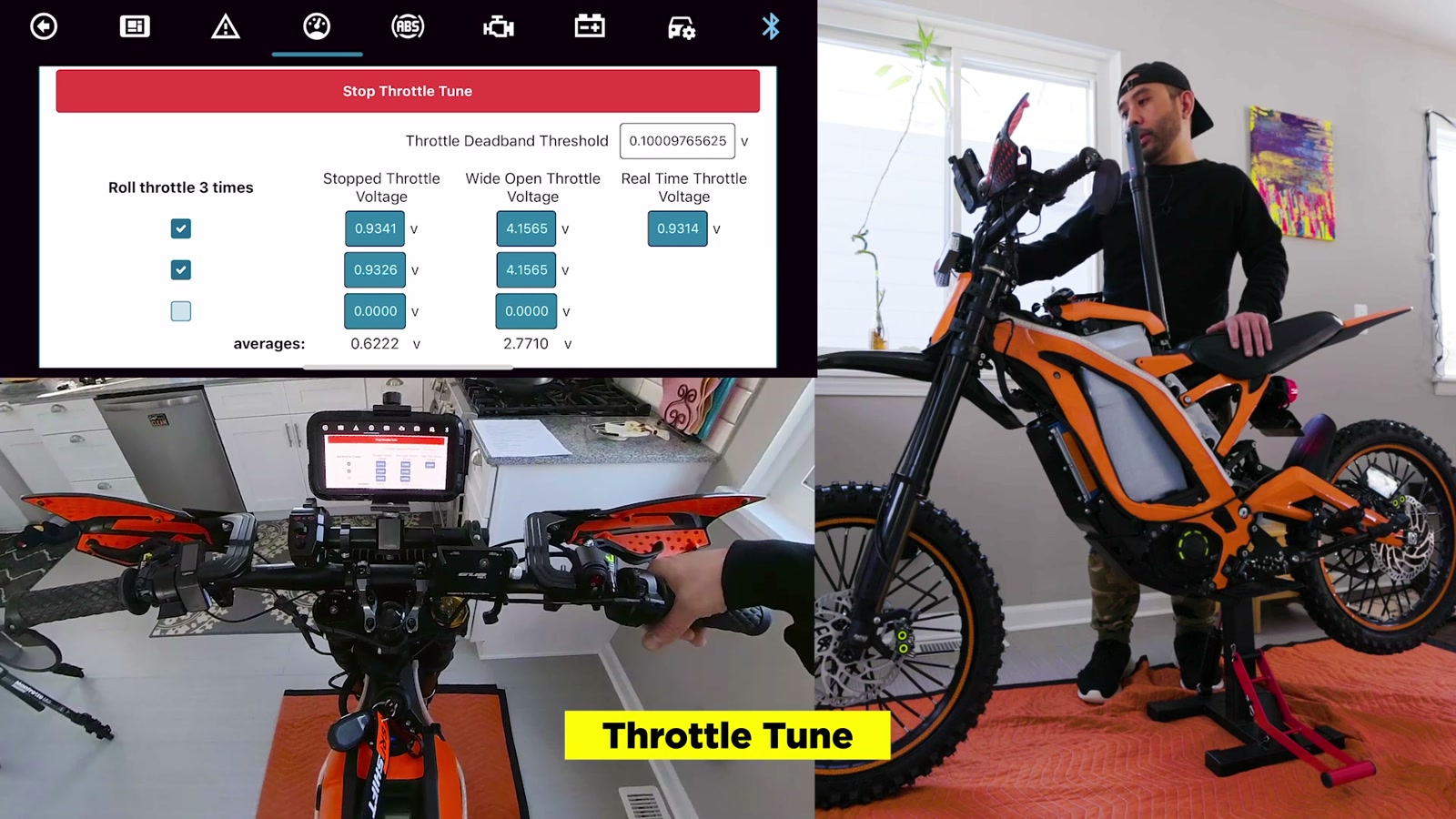
Throttle Tuning: The App Made It Painless
Throttle calibration here is refreshingly straightforward.
The app shows real-time throttle voltage, then walks through a simple three-pull tuning process to average your input and flash the parameter. The best part: during this calibration, the wheel doesn’t spin—so it’s safer and less stressful.
The end result for me was a throttle that felt more consistent and more predictable, especially in the low-to-mid range where street riding lives.
Regen Brake Tuning: Controlled, Not Jerky
Regen tuning is the same easy workflow as throttle tuning—three full presses, the app averages it, and you save.
I’m currently using a separate regen control (left-hand throttle style). The app also offers multiple braking/regen strategies:
Separate regen input (what I’m using)
Roll-off regen (more like stock “engine braking” feel)
E-brake motor cut-off (no regen, just cut)
Wheelie mode (no regen)
Personally, I don’t like roll-off regen. It makes the bike feel like it’s dragging, and I’d rather keep momentum. But if you want that two-stroke-ish resistance feel, it’s there.
I also like that wheelie-friendly behavior is considered. If you’re covering your rear brake and don’t want regen interfering at the wrong moment, having a dedicated mode is smart.
On the road, regen felt smooth—not stuttery and not like it was trying to lock the wheel. It slowed the bike in a controlled way and felt consistent.
Motor Settings: Powerful Tools, But You Need to Respect Them
This is where the app goes from “nice interface” to “serious tuning platform.”
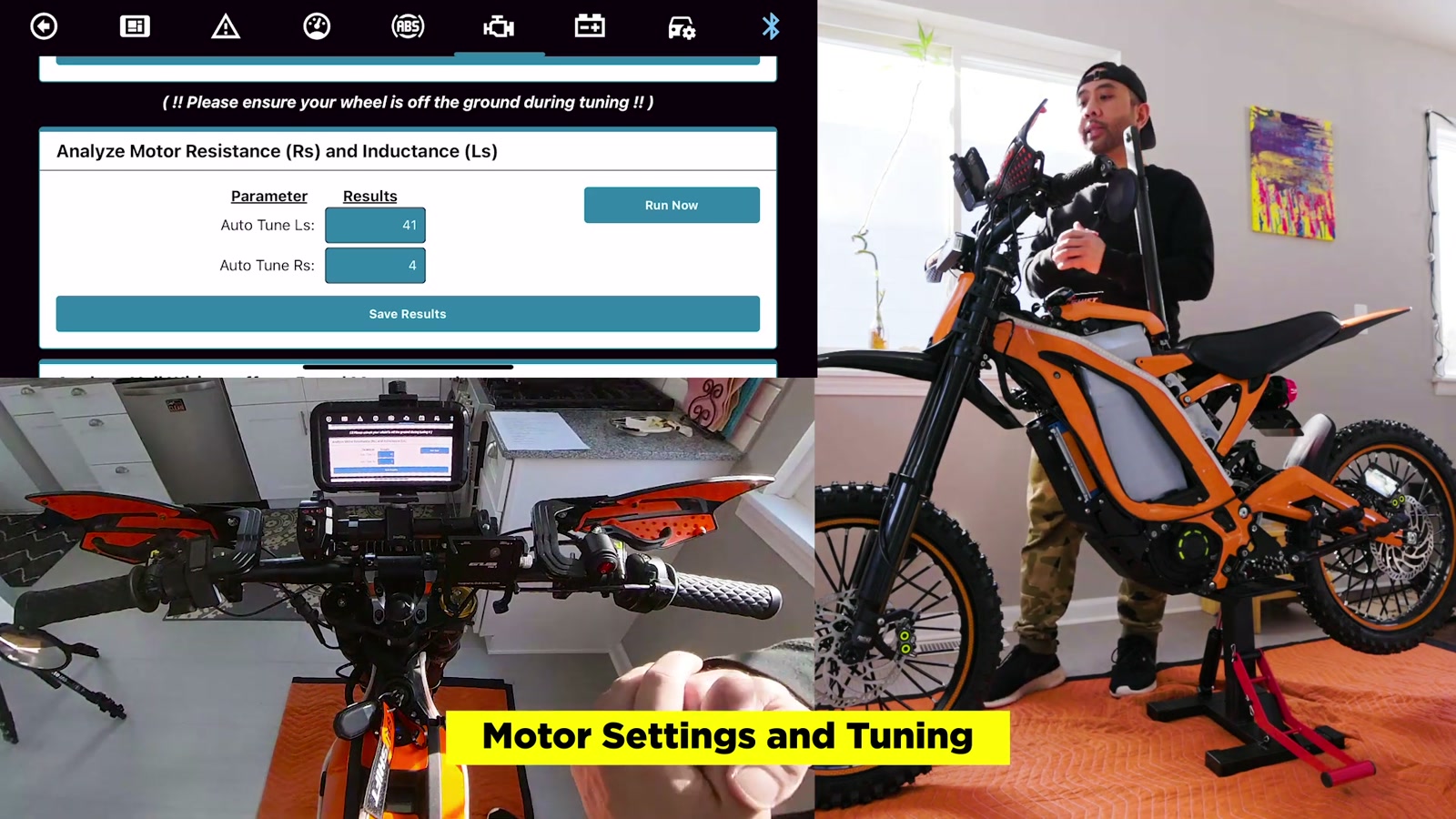
There are options like field weakening (useful for squeezing higher RPM/top speed), and there are parameters you really shouldn’t touch unless you know exactly what you’re doing.
GLE Dashboard does a good job of putting these tools in one place, including built-in analysis routines.
Auto-Analyze: Motor Resistance/Inductance and Hall Offset
The app includes “run now” analysis steps for things like motor resistance/inductance and hall wiring offset.
Important: the wheel needs to be off the ground for these. The bike will spin the wheel while it’s running tests.
Once I ran these, I saved results immediately. That became the theme with this app: change something, save it, move on.
Battery and Power: Easy Mode Switching Without the Usual Headache
I’m running a 72v setup, and the battery/power section is where the app started to feel like a real daily-driver tool.
Instead of wrestling with confusing menus, I can:
Set street vs ludicrous power behavior
Choose a battery voltage profile (and switch profiles if I swap packs)
Set max battery current
The big win is that switching between “street” and “ludicrous” isn’t just about max power—it’s about how I want the bike to behave in the moment.
Torque Ramp: The Setting That Changed the Feel the Most
If you’ve ever complained about Sur-Ron throttle feel—even after changing throttles—this is the section you’ll care about.
There’s a torque ramp parameter that lets me shape how punchy or how smooth the bike responds.
Lower number: more punch
Higher number: smoother delivery
This is huge because it means I can tune feel for trails vs street without swapping hardware.
For me, that translated into a bike that felt “calibrated.” Smooth when I wanted it smooth, responsive when I asked for it.
Speedometer Calibration: It Took Effort, But It Worked
Out of the box, my speed readout was noticeably off versus GPS.
GLE Dashboard gives you multiple ways to correct it (gear ratio and wheel diameter). I focused on gear ratio adjustments and tested against a GPS speedometer until the numbers matched closely.
Once it was dialed, the rest of the app got even better—because speed limiting and mode behavior actually lined up with reality.
Speed Limiter and Drive Modes: Perfect for Safer Rides (or Letting Friends Try It)
One of my favorite real-world features is speed regulation while keeping torque.
That means I can limit top speed but still have usable torque, which is exactly what you want for:
Beginners trying the bike
Lending the bike to a friend
Keeping things civil in the neighborhood
Situations where you want a “moped-like” limit
I tested a low speed limit and pinned the throttle— the bike held the limit reliably.
Even better: the app supports saving profiles. So I can build a beginner profile, an around-town street profile, and a more aggressive setting, then swap without rebuilding everything from scratch.
Real-World Ride Impressions: It Felt Like a Different Bike
Once I got everything tuned, the bike didn’t just feel faster—it felt cleaner.
Street mode became my go-to for downtown stop-and-go riding. It was smooth, predictable, and easy to modulate.
Ludicrous mode brought the punch, and you feel it immediately, but what surprised me most was that it still felt controlled. Not chaotic. Not twitchy.
The overall sensation reminded me of what well-implemented field-oriented control can feel like: quieter, more efficient-feeling power delivery, and less of that “smash volts into the motor” vibe.
And when I wanted to nerd out, I could.
Telemetry: A Tuner, Diagnostic Tool, and Data Logger in One
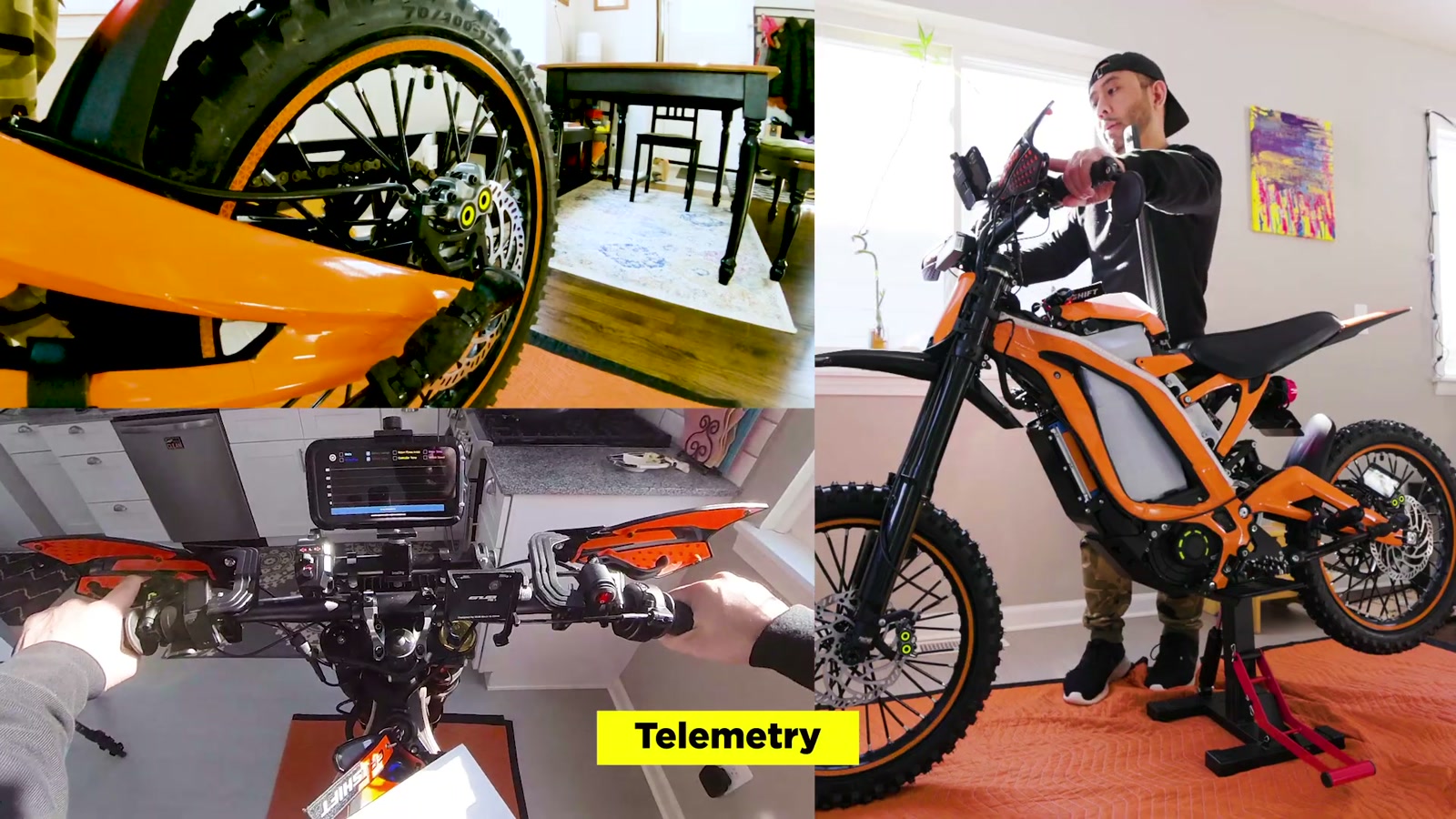
Telemetry is built in, and it’s not just a gimmick.
I can view live graphs (watts, RPM, voltage, amps, and more), start/stop logging, and export data to CSV.
That opens the door for:
Comparing batteries
Diagnosing weird behavior
Validating tune changes with real data
What We Like
Excellent UX: fast to navigate, easy to understand
Drive states (including reverse) are actually practical in real riding
Throttle and regen calibration are simple and confidence-inspiring
Speed limiting with torque is perfect for safety and sharing the bike
Profiles/settings history make it easy to run multiple ride setups
Telemetry + CSV export is legit useful for testing and diagnostics
Once tuned, the bike feels smoother and more “complete”
Things To Consider
You may need a harness upgrade and/or firmware update for full compatibility
There are advanced settings that can get you into trouble if you change them carelessly
Speedometer calibration can take some trial-and-error
Regen integration with certain brake lever setups may require additional wiring/splitting depending on your components
Final Thoughts
If you want an all-in-one display, tuner, diagnostic tool, and telemetry logger in a single app, GLE Dashboard is a solid recommendation.
More importantly, it made my 72v BAC4000 Sur-Ron X feel noticeably better tuned in everyday riding. The power is great, sure—but the real upgrade is control. The bike feels smoother, more predictable, and easier to tailor to the way I actually ride.
For our community, that’s the difference between a mod that’s exciting for a weekend and a setup you’ll be happy to live with.