

Hollyland Mars 400S Pro: My Real-World First Impressions on Set
January 31, 2021
Some links in this article may be affiliate links. If you buy through them, we may earn a small commission at no extra cost to you.
When I’m trying to move fast on a shoot, the last thing I want is a complicated monitoring setup. I like having a compact “director’s monitor” option that I can toss in a bag, rig quickly, and hand off to a client or a crew member so I’m not the only one staring at a tiny camera screen.
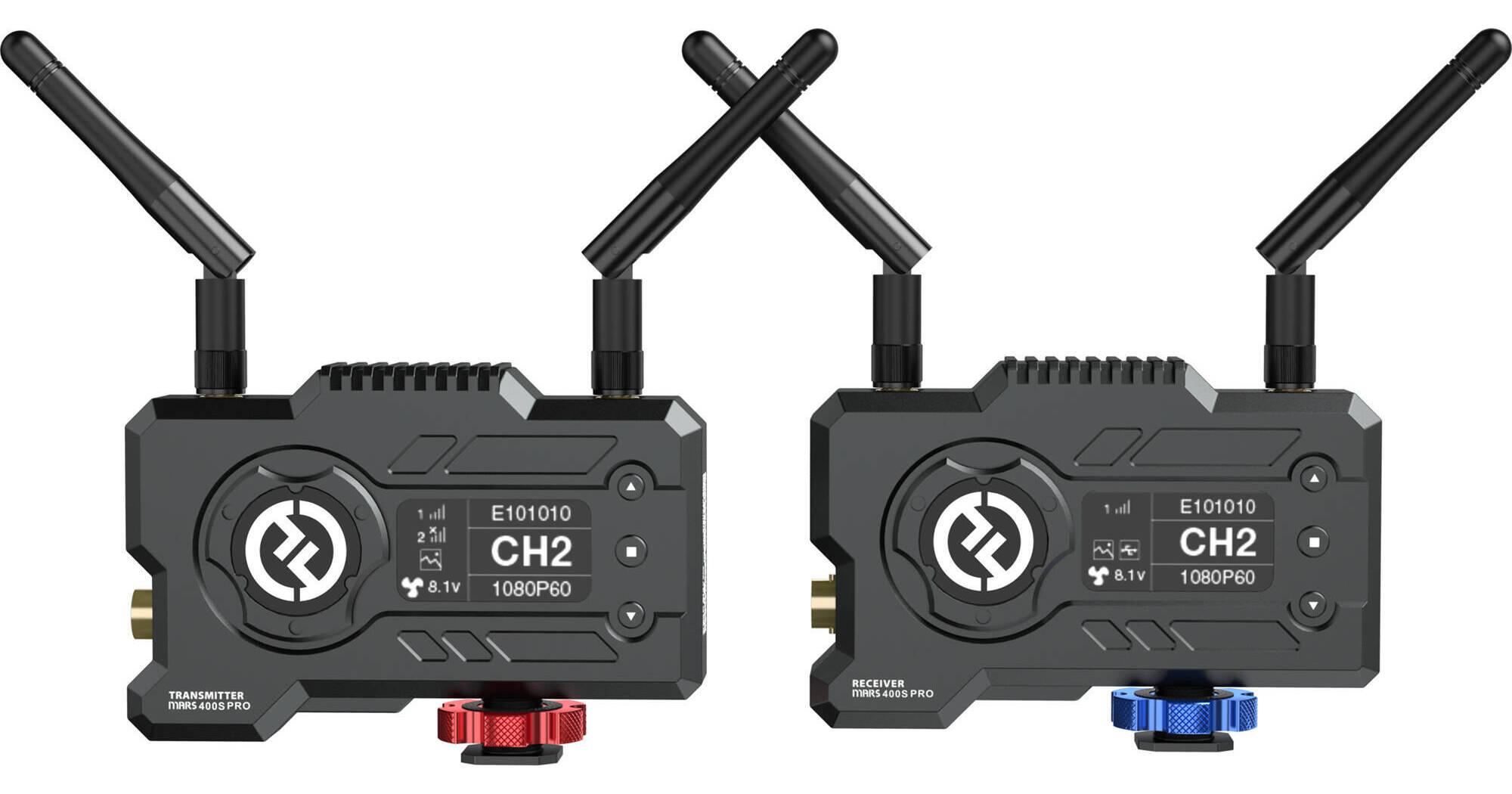
That’s exactly the role the Hollyland Mars 400S Pro fills for me: a wireless system that sends an HD signal from my camera to a field monitor (and/or to phones/tablets), so more people can see what’s going on without crowding the camera.
Why I reach for a wireless system like this
On set, an extra set of eyes is a real upgrade. A client can catch a wardrobe issue. A crew member can watch framing while I handle audio or lighting tweaks. Even when I’m solo, having a monitor positioned where I’m standing (instead of where the camera is) makes the whole workflow feel less frantic.
The Mars 400S Pro is built around that idea: simple wireless monitoring that’s portable enough to live in your kit.
Build quality and rigging: feels more “pro” than the older unit
The first thing I noticed is the build. The Mars 400S Pro feels tougher than the earlier 400S. It’s encased in metal and designed to sit horizontally, which makes it look and feel more streamlined on a rig.
A detail I genuinely appreciated during setup: the integrated shoe adapter with a 1/4-20 mounting thread. It’s one of those small things that saves time because you can mount it quickly without hunting for an extra piece of hardware. The shoe adapter knobs are color-coded and wide enough to get a solid grip when tightening down.
The antennas sit on top of both the transmitter and receiver, and overall the layout feels clean and intentional.
Power options that make sense for real shoots
Power flexibility is a big deal for me, and the Mars 400S Pro gives you options:
L-series battery power (easy and common)
DC adapter support
USB-C input that can be used to charge the battery
There’s also an internal fan with multiple modes. I didn’t totally get why a unit like this would need a fan until I saw it can accept a DC input up to 16V, which opens up the possibility of rigging it to a V-mount battery. That’s the kind of compatibility that makes it easier to integrate into bigger setups.
Another small but important win: the on/off switch is a push button. In practice, that makes it much harder to accidentally shut down mid-take.

Ports and connections: HDMI and SDI are both on the table
Both HDMI and SDI connections are available, with the ports located on the back. For my workflow, that’s ideal because it keeps cable routing tidy, especially when I’m mounting on-camera.
Latency in the real world: it’s there (and you need to plan for it)
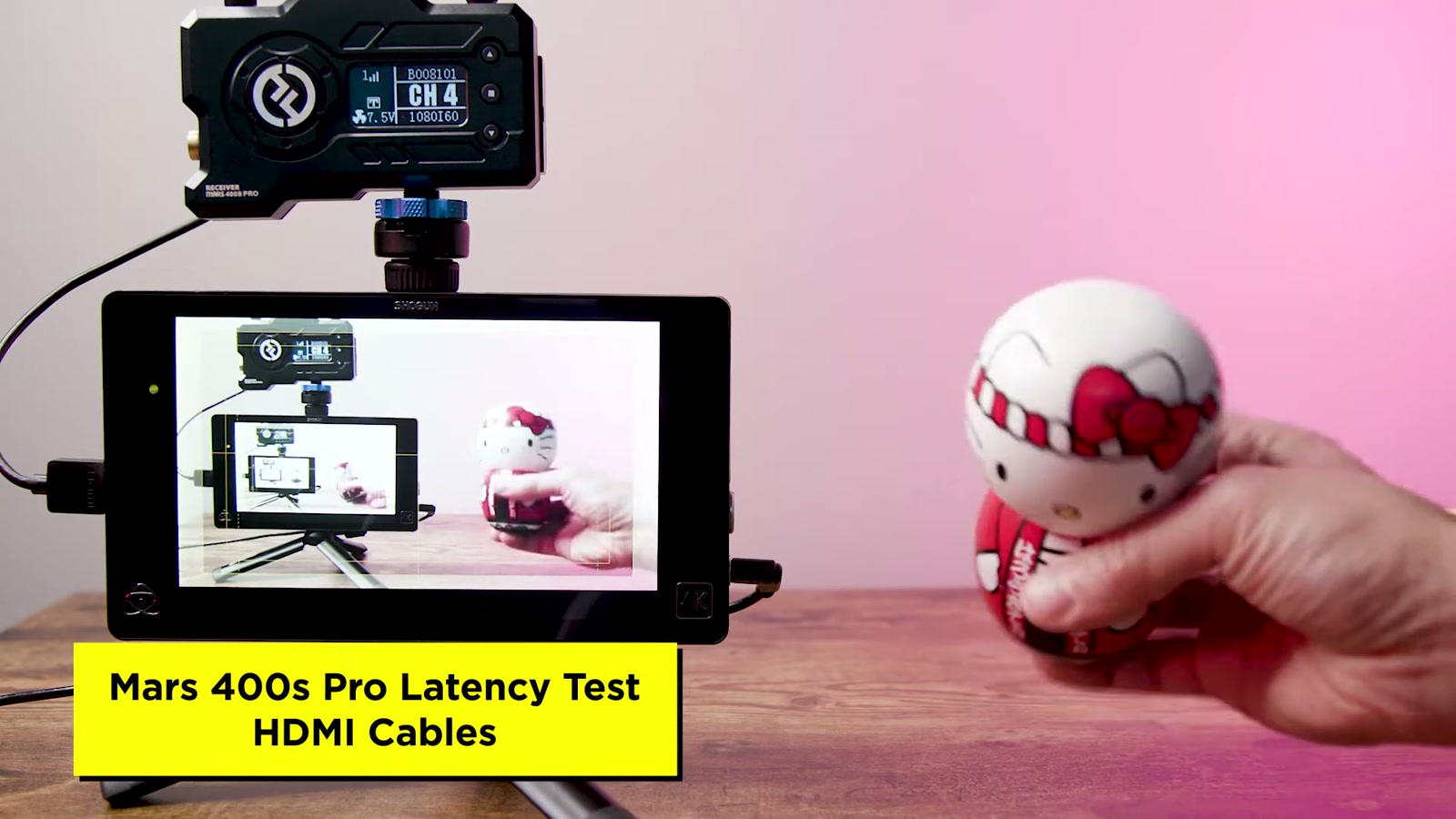
Wireless video at this price point is always a balance. In my testing, latency is present.
With HDMI, the delay was noticeable.
With SDI, latency was still there, but it felt slightly better to me than HDMI. The difference wasn’t night-and-day, but SDI felt like the more comfortable option.
The big takeaway: I wouldn’t treat this as a zero-latency solution for super critical focus pulls where you’re trying to nail precise marks in real time. If you’re depending on the wireless feed to pull focus with absolute precision, the delay can get in the way.
Where it works great for me is everything else: framing, basic monitoring, lighting direction, and getting a feel for color. In those situations, the Mars 400S Pro is absolutely usable.
HollyView app: the reason this system becomes a “crew multiplier”
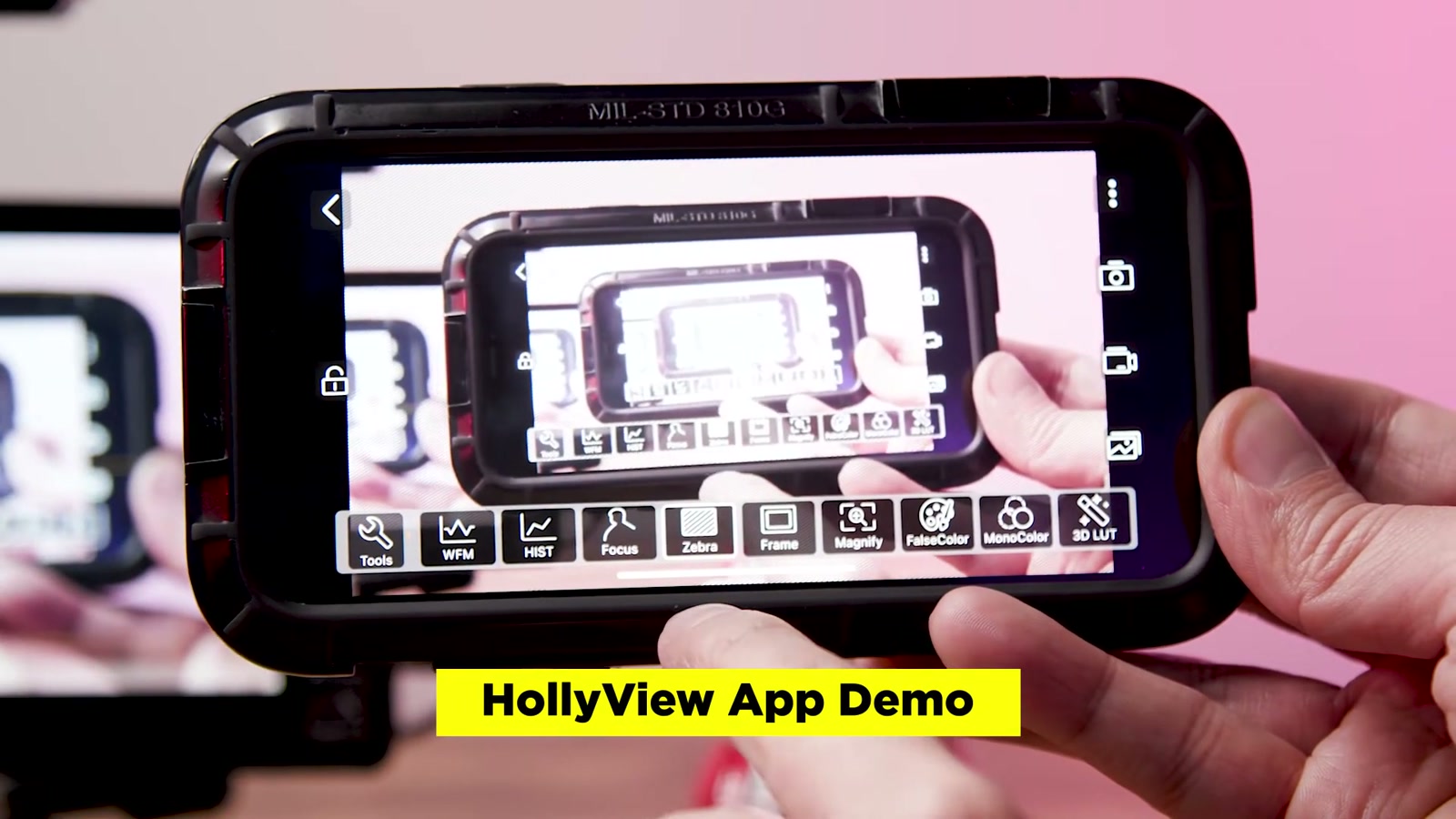
One of the most practical advantages of this system is that it can get more screens involved. I connected using the HollyView mobile app on iOS and got up and running quickly.
There is additional latency over Wi‑Fi compared to a direct receiver-to-monitor connection (for example, via SDI). But that’s a trade I’m fine with, because the people watching on the app usually aren’t the ones making split-second decisions.
The app tools are honestly strong for the price and the intended use. From the on-screen menu, I had access to:
Waveform
Histogram
Focus peaking
Zebras
Frame guides
Magnify
False color
Monocolor
3D LUT support
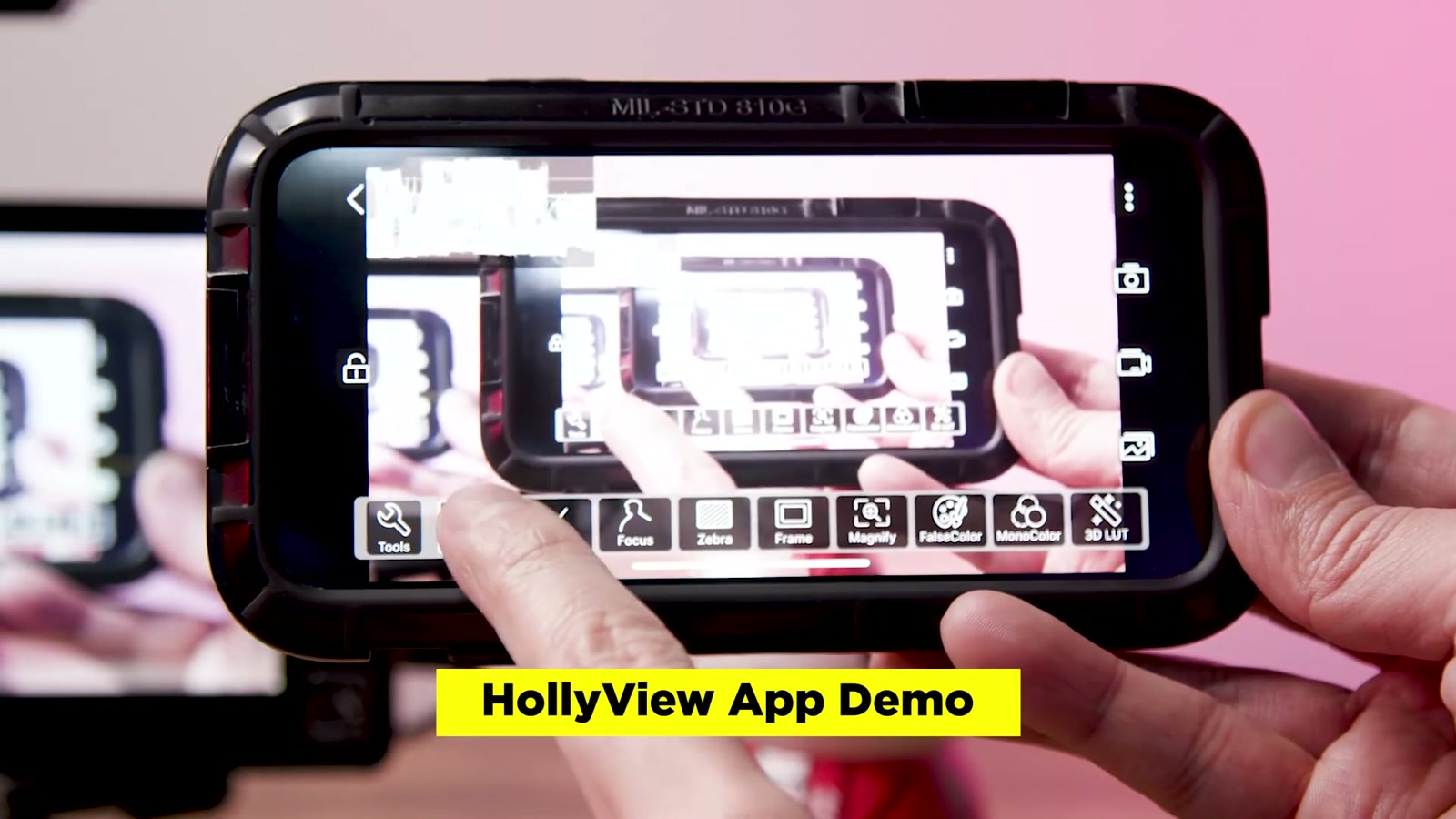
I also like that I can load my own LUT depending on the camera and profile I’m shooting. That’s a big quality-of-life feature when you’re trying to show a client something closer to the intended look.
The app includes options to grab a still, record quick dailies, review recordings in an album, and lock the interface so you don’t accidentally bump settings.
Who this is for
This is the kind of wireless system I’d recommend to:
Small crews who want a more collaborative set without a complicated monitoring village
Creators who want a compact director/client viewing solution
Shooters who prioritize faster decision-making over absolute zero-latency performance
It fits slightly above the “consumer gadget” category for me. It’s not trying to be a high-end, zero-delay cinema link, but it does look, feel, and operate like a more serious tool.
What We Like
Tougher, more premium metal body with a streamlined horizontal design
Integrated shoe adapter and 1/4-20 thread makes rigging quick
Push-button power is harder to accidentally shut off
Multiple power options (including USB-C charging and higher-voltage DC input)
Strong mobile app feature set (exposure tools, focus aids, LUT support)
Multi-device monitoring capability can genuinely improve on-set efficiency
Things To Consider
Latency is real (HDMI felt more delayed; SDI felt slightly better but still not instant)
Not ideal for ultra-critical focus pulling based purely on the wireless feed
App monitoring adds more latency compared to a direct receiver-to-monitor connection
Final Thoughts
After hands-on testing, the Hollyland Mars 400S Pro lands in a sweet spot for me: affordable enough to justify, sturdy enough to trust in a working kit, and flexible enough to bring more people into the process without slowing the shoot down.
If your goal is a portable monitoring setup for framing, lighting, and general on-set collaboration, it does the job and feels like a solid step up in build and usability. Just go in with realistic expectations about latency, and you’ll be happy with what it delivers.